Ultimate Portable Podcasting Setup: Expert Recording Tips
Shelly Walker on 29 December, 2025 | Comments Off on Ultimate Portable Podcasting Setup: Expert Recording Tips
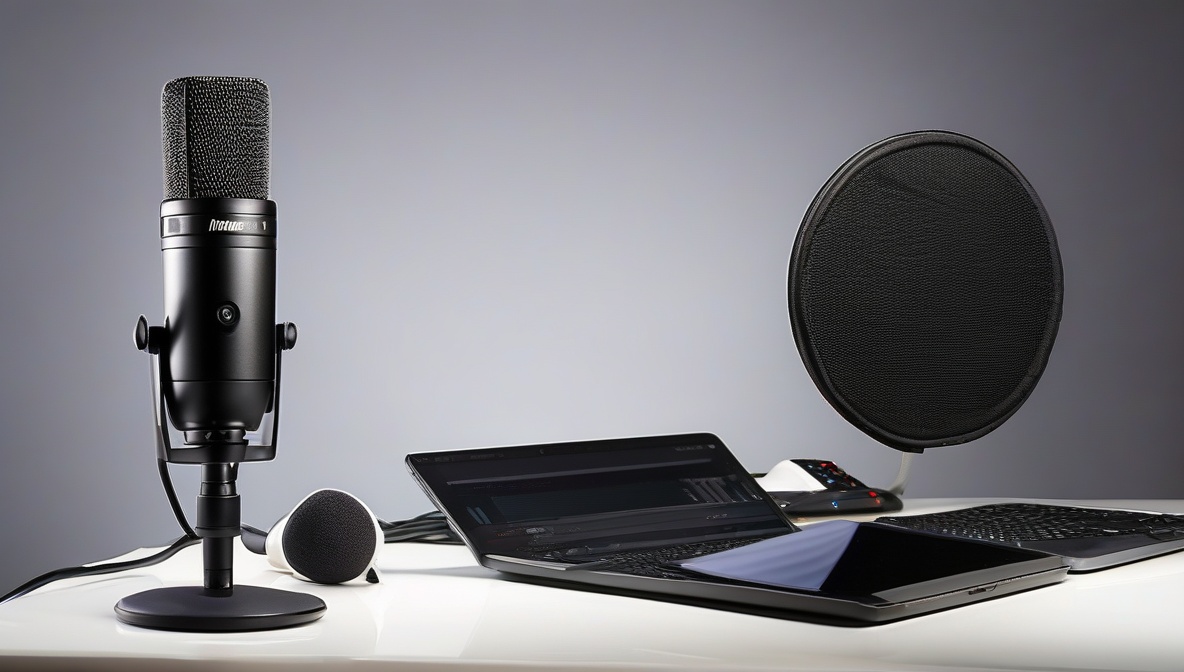
Creating a professional portable podcasting setup enables content creators to record broadcast-quality audio in any location. This comprehensive guide will teach you how to build an effective mobile recording kit and implement proven techniques for capturing pristine audio, whether you’re in a hotel room, coworking space, or outdoor venue.
What You’ll Need
- Digital audio recorder or laptop with USB-C/Thunderbolt audio interface
- Dynamic or condenser microphone with cardioid pickup pattern
- Closed-back headphones for monitoring
- Portable acoustic treatment materials
- Boom arm or desktop mic stand
- High-capacity SD cards or external SSD storage
- Backup power solutions (power bank, extra batteries)
- Cable management accessories and adapters
Step-by-Step Instructions
Select Your Core Recording Device
Choose between a dedicated field recorder like the Zoom PodTrak P8 or a laptop-based setup with a compact audio interface. Field recorders offer superior portability and battery life, while laptop setups provide more processing power for real-time monitoring and effects. According to University of Michigan’s podcasting guide, dedicated recorders often deliver more reliable results in challenging environments due to their specialized hardware and interference-resistant designs.
Configure Your Microphone Setup
Position your microphone 6-8 inches from your mouth at a slight downward angle to minimize breathing sounds. Set input gains to achieve peaks between -12dB and -6dB, leaving adequate headroom for unexpected volume spikes. Enable high-pass filtering at 80-100Hz to eliminate low-frequency rumble from air conditioning, traffic, or handling noise. Test your portable podcasting setup in various environments to establish consistent gain staging that works across different acoustic conditions.
Implement Acoustic Treatment Strategies
Create an acoustic bubble using portable treatment solutions. Deploy foldable acoustic panels behind and beside the speaker, hang thick blankets or moving pads to absorb reflections, and position yourself away from parallel walls when possible. Research from VCU Libraries demonstrates that even minimal acoustic treatment can reduce room noise by 10-15dB, significantly improving perceived audio quality. Consider recording inside a car with the engine off for surprisingly effective isolation from external noise.
Optimize Recording Settings and Workflow
Configure your portable podcasting setup to record at 48kHz/24-bit for maximum flexibility in post-production. Enable automatic safety recording features if available, which capture a secondary track at lower gain levels as backup. Set up automated file naming with timestamps and location tags to maintain organization across multiple recording sessions. Always record at least 30 seconds of room tone at each location for seamless editing transitions.
Advanced Portable Podcasting Techniques
Multi-Person Recording Strategies
When conducting remote interviews or group discussions, implement a dual-ender recording approach where each participant records their own audio locally while maintaining a communication link via smartphone or computer. This eliminates internet compression artifacts and provides pristine individual tracks for mixing. Establish synchronized start/stop protocols and use slate markers or clap tracks for easy alignment during editing.
Environmental Adaptation Methods
Develop rapid assessment skills for evaluating new recording locations. Spend 5-10 minutes testing different positions within a space, clapping loudly to identify reflection patterns, and listening for consistent background noise sources. According to High Point University’s audio production guide, the best portable recording locations typically feature mixed surface textures, minimal parallel walls, and natural sound absorption from furniture or carpeting.
Power Management and Backup Systems
Calculate power consumption for your entire portable podcasting setup and plan for 150-200% of expected recording time. USB-C power delivery systems can simultaneously power audio interfaces, charge devices, and maintain phantom power for condenser microphones. Implement redundant storage solutions with automatic backup to cloud services when internet connectivity permits, ensuring your content remains secure even if equipment fails.
Equipment Recommendations by Use Case
Solo Creator Budget Setup ($300-500)
Zoom PodTrak P4 recorder, Shure SM48 dynamic microphone, Sony MDR-7506 headphones, and basic acoustic treatment kit. This configuration delivers professional results for single-host shows and simple interview formats while maintaining excellent portability.
Professional Multi-Host Setup ($800-1200)
Sound Devices MixPre-6 II recorder, multiple Audio-Technica BP40 microphones, individual headphone monitoring systems, and comprehensive acoustic treatment solutions. This setup supports complex productions with multiple participants and provides broadcast-quality output.
Hybrid Digital-First Setup ($600-900)
Rodecaster Pro II with smartphone integration, wireless microphone systems for mobility, and real-time processing capabilities for live streaming applications. This approach maximizes flexibility for creators producing both recorded and live content.
Troubleshooting
Problem: Inconsistent audio levels between different recording locations
Solution: Create standardized calibration procedures using consistent reference sounds or tone generators. Record a standard phrase at the beginning of each session and adjust playback levels during editing to maintain consistency across episodes.
Problem: Intermittent electrical interference or RF noise
Solution: Implement proper cable management with ferrite cores on audio cables, maintain separation between power and audio connections, and use balanced XLR connections whenever possible. Switch recording devices to battery power to eliminate ground loop issues.
Problem: Sudden background noise during recording
Solution: Develop pause-and-resume protocols for unexpected interruptions. Modern editing software can seamlessly remove gaps, making it better to stop recording than attempt to continue through disruptive noise events.
Post-Production Considerations for Portable Podcasting
Establish consistent post-production workflows that account for varying acoustic environments in your portable recordings. Use spectral analysis tools to identify and remove location-specific noise signatures, apply gentle EQ adjustments to compensate for room acoustics, and maintain consistent loudness standards using LUFS metering for professional broadcast compliance.
Develop template projects in your digital audio workstation with pre-configured noise reduction, EQ, and compression settings optimized for your portable podcasting setup. This streamlines the editing process and ensures consistent sound quality regardless of recording location.
Summary
Building an effective portable podcasting setup requires careful balance between equipment quality, portability constraints, and acoustic adaptation strategies. By following these systematic approaches to gear selection, recording techniques, and environmental optimization, content creators can achieve professional-quality results in virtually any location. Success in portable podcasting depends more on understanding fundamental audio principles and consistent application of best practices than on expensive equipment, making high-quality mobile recording accessible to creators at every budget level.
References
- University of Michigan Libraries – Podcasting Equipment and Technology Guide
- VCU Libraries – Podcast Production Techniques and Best Practices
- High Point University – Audio Production and Recording Standards